Make yourself familiar with troubleshooting steps for a variety of our most common issues.
To fix this issue, please follow these steps:
Ensure that you have:
No active antiviruses
No active anticheats (faceit, akros, etc)
No active debuggers
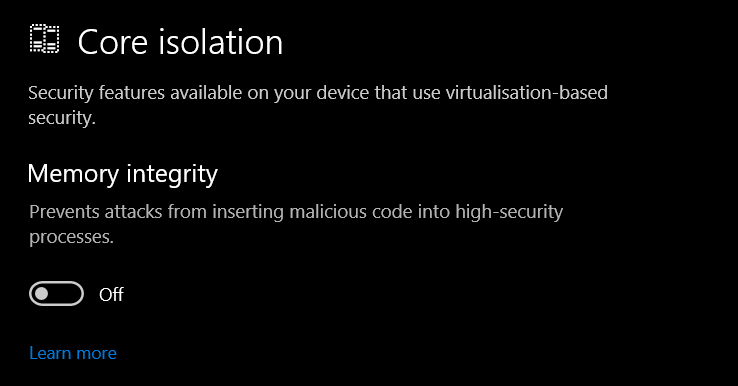
Ensure that Core Isolation is disabled.
You must restart your computer.
This error is caused by your internet service provider (ISP) blocking the SSL connection to our server.
To fix this issue, please do one of the following:
Connect to a VPN before running the loader. You can disable the VPN after injection.
You can use any VPN. We recommend ProtonVPNarrow-up-right as a free solution.
Alternatively,
Review your router’s security settings for the blocked SSL requests and allow them.
Since router interfaces vary, consult your router manual or contact your ISP for further instructions.
This is caused by inputting an empty string as either your login or password. Ensure you are entering the correct username and password.
This can also happen in rare cases when opening the loader after swapping accounts - simply re-opening the loader will fix this.
Please take the following steps:
Head to %appdata% and find the Distort folder
Delete the "user" file inside of the folder
Download a new loader, and try again
Last updated 2 months ago